Slows it down
Add a fixed or random delay. Find out what 300 ms of ping does to your loading spinner.
 Bean Network Tester
Bean Network Tester adds lag, packet loss and speed limits to a single Windows application. You get to see what your users see on a train, on a hotel hotspot, or on a phone with one bar of signal.
It is a network emulator aimed at one program rather than at the whole machine, so you can reproduce slow internet for the app you are testing while everything else keeps working.
Download for Windows See the code on GitHub
Free and open source under the GPLv3. Windows 10 and 11, 64-bit. No account, no telemetry.
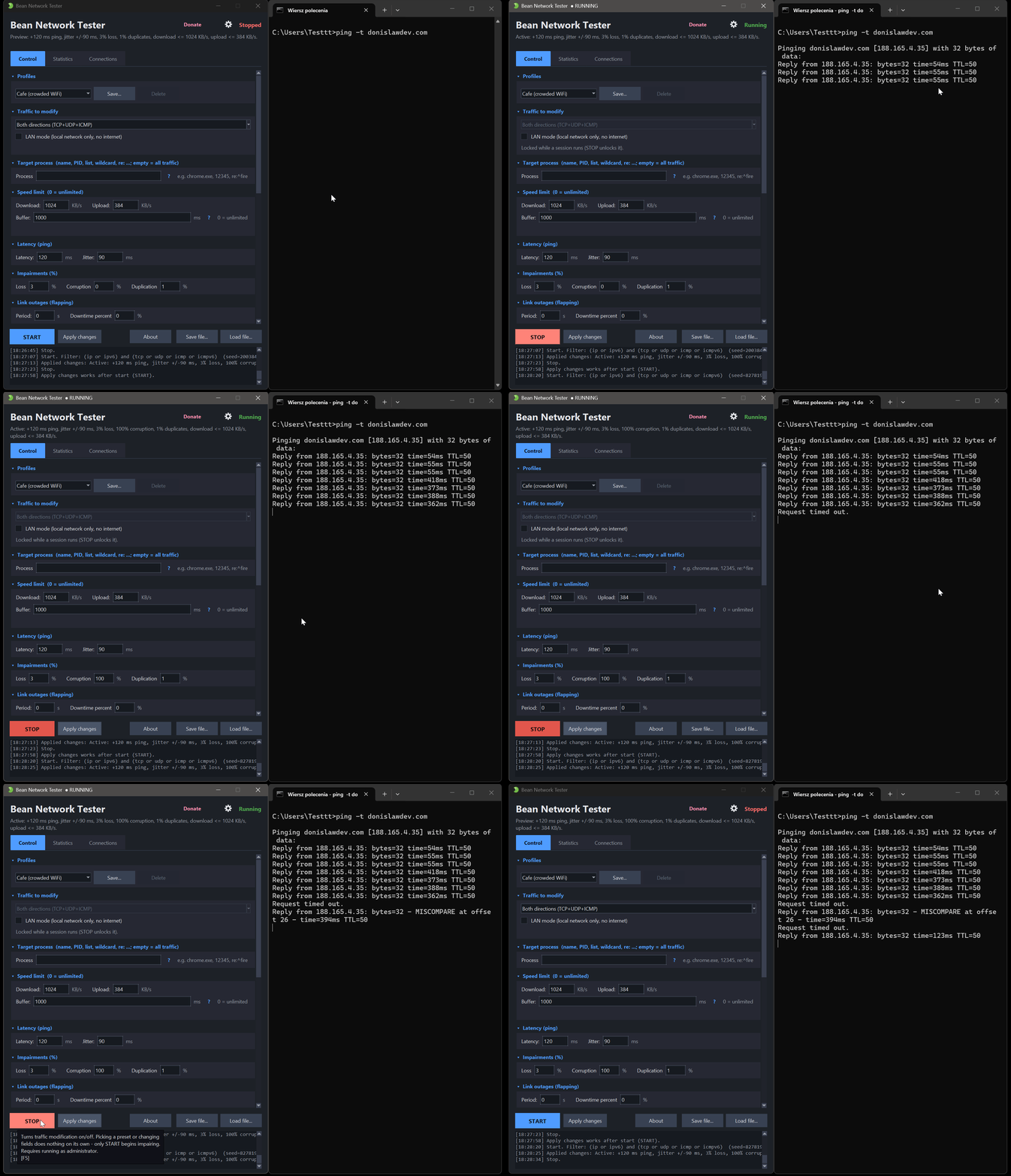
Add a fixed or random delay. Find out what 300 ms of ping does to your loading spinner.
Drop, duplicate or corrupt them, then watch whether your app recovers or just hangs.
Hold download or upload to a set number of KB per second, the way a weak mobile link does.
Tear connections down, block a port or an address, or make the network come and go.
Pick a process, a PID, an address or a port. The rest of the machine keeps working normally.
The same seed replays the same run. That is the difference between a bug report and a story.
BeanNetworkTester.exe. It asks for administrator rights by itself, because
capturing traffic needs them.There is a text mode in the same file, so the whole thing also runs in a pipeline. One command is enough to check that your service survives 10 percent packet loss:
BeanNetworkTester.exe --loss 10 --target myapp.exe --duration 60It stops on its own when the time is up, so a step that hangs cannot leave a broken network
behind it. Add --simulate to rehearse a command without touching real traffic.
Testers who have to reproduce "it works on my machine". Developers who need a timeout to actually happen. Game developers checking what lag does to their netcode. Anyone who has ever been asked whether the app works on a weak connection and had no honest way to find out.
Short guides, each with the numbers worth trying and the command that does it.